inCode Helium is the lightweight and most affordable version of our new generation of quality assessment tools for Java, C++ and C. inCode detects design flaws automatically, and helps you understand the causes of quality problems on the level of code and design.
inCode is a tool designed by developers, for developers. So, all analyses and features are tailored to make inCode the perfect companion for professional developers. Additionally, Java developers have the chance of making inCode their daily pair-programming buddy, as inCode for Java is smoothly integrated with the Eclipse IDE.
By detecting design flaws while you’re coding, inCode saves you most of the overhead of lengthy code review and restructuring sessions. Also, inCode minimizes the time needed to understand the context of any given problem, since the problem affects the code you are already working on. In practice, time for understanding a problem makes up for at least half of the total maintenance time for that problem.
Key features
Automatic detection of major design flaws
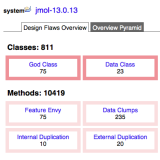
inCode detect more than 10 design and code anti-patterns (smells), that are most commonly encountered in software projects. Thus, inCode detects design flaws like “God Class”, “Data Class”, “Code Duplication”, “Data Clumps”, or violations of “Demeter’s Law”. These anti-patterns cover all the essential design aspects: complexity, encapsulation, coupling, cohesion and inheritance.
Visual exploration of design
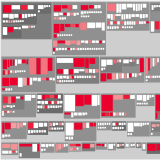
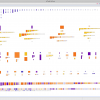
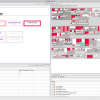
inCode provides three metrics-based interactive visualizations, that allow a highly effective exploration of your system’s design and its problems. Package Maps show the distribution of classes in packages/folders; Inheritance Maps reveal class hierarchies; and Class Maps present the internal structure of a class, as well as its interactions with other classes.
Smart insights and exploration tools
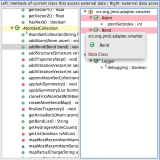
inCode features contextual insights and exploration tools that provide invaluable hints during refactoring. By allowing a detailed exploration of various metrics and relations, inCode helps you track down the particular cause and context of any given problem instance. This in turn allows you to identify the best suited refactoring to remove the problem and improve the quality of your code and design.
Metrics-based characterization
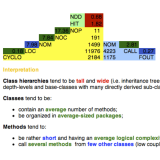
inCode is able to compute more than 50 software metrics, ranging from basic size and complexity metrics, to the more advanced metrics characterizing various design aspects such as Coupling, Cohesion, or Inheritance. These metrics are used as indicators in the detection of design flaws, as well as to characterize and compare systems.
Eclipse integration
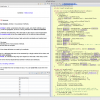
All the powerful exploration and investigation tools provided by inCode are now also at home in your favourite IDE. inCode neatly integrates all its views and context menus into the development environment, putting everything you need right at your fingertips.
Screen shots
Copyright 2024 by intooitus. All Rights. Reserved.